Search Analytics: Monitor Your Google and Bing Performance Inside Lua
 Guilherme HortinhaCo-Founder of Lua Rank & AI Visibility Strategist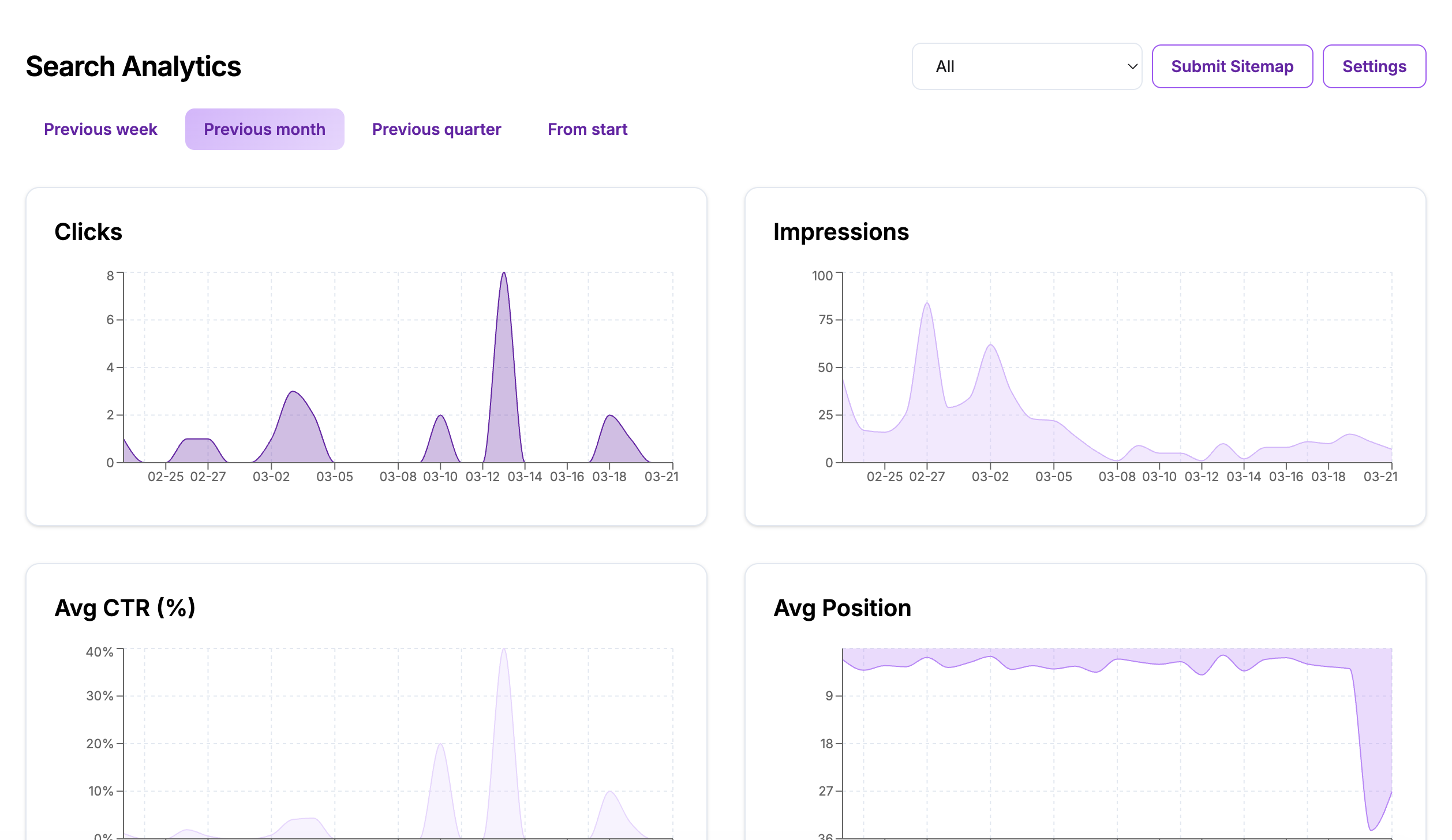
Connect Google Search Console and Bing Webmaster Tools to monitor organic clicks, impressions, and rankings in one dashboard alongside AI visibility.
Lua Rank's Search Analytics feature connects to your Google Search Console and Bing Webmaster Tools to show clicks, impressions, average CTR, average position, top queries, and top pages in one view alongside your AI visibility data.
You are optimizing for AI visibility because you know search is changing. But the work you do to help AI models find and cite your content also improves how Google and Bing index and rank your pages. The problem is proving it. Your **search analytics dashboard** lives in Search Console, your AI data lives in Lua, and you are constantly switching tabs to connect the dots.
Most teams are running AI visibility programs in isolation from their traditional search efforts, missing the compound effect when the same optimizations move both metrics at once.
Why traditional search tools miss this connection
AI visibility and traditional search are not separate channels. The same content structure improvements that help ChatGPT cite your brand also improve how Google extracts featured snippets. The schema markup that boosts Perplexity citations also enhances how Bing interprets your pages. But if your search performance data lives in Search Console and your AI data lives elsewhere, you miss the correlation entirely.
We built Search Analytics because our users were asking the same question every week: is this AI work actually helping our organic traffic monitoring numbers? They had the data scattered across multiple tools, but no single view that showed whether their AI optimization efforts were lifting traditional search performance too. The feedback loop was broken.
Search Analytics brings your organic search metrics into the same platform where you track AI visibility, so you can see whether the work you are doing is moving both needles at once. One dashboard, complete picture, no tab switching required.
How it works, in 3 steps
1. Connect your accounts: Link your Google Search Console and/or Bing Webmaster Tools account from the Search Analytics settings page. You can connect one or both. Once linked, Lua pulls in your search performance data automatically. You can also submit your sitemap directly from this page.
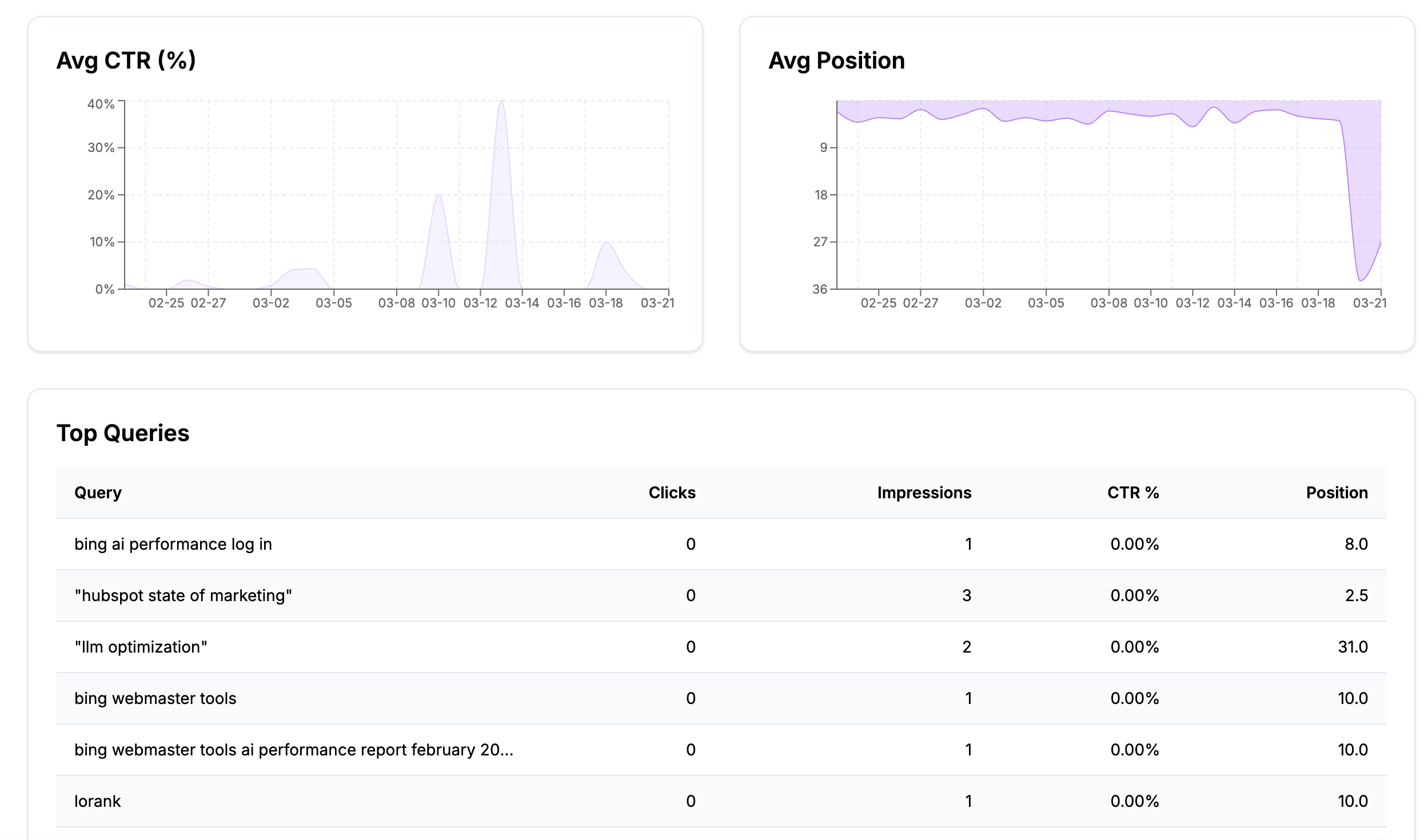
2. Review your headline metrics: Check the four main charts that show Clicks (how many visitors came from search), Impressions (how often your pages appeared in search results), Average CTR (what percentage of impressions turned into clicks), and Average Position (where your listings appear on average across all queries). Use the time range filters to compare different periods and track progress.
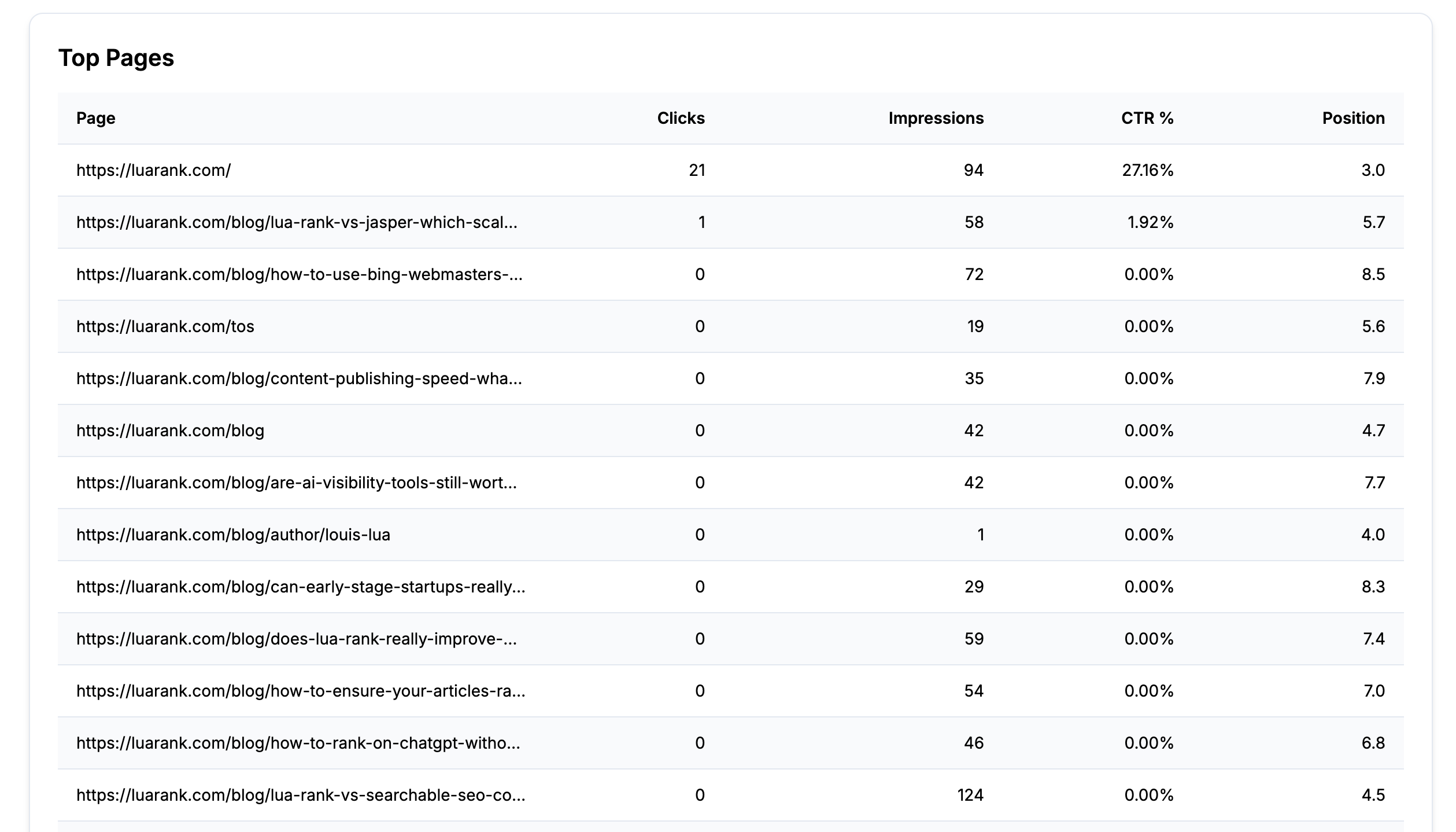
3. Analyze query and page performance: Scroll down to the Top Queries table to see which search terms are driving impressions and clicks, with CTR and position data for each. The Top Pages table shows which URLs are performing best. Filter by Google or Bing specifically to isolate search engine visibility performance by platform.
At the end of this workflow, you have a complete view of your traditional search performance in the same place where you track AI visibility improvements, making it easy to spot correlations and prove compound value.
How teams use this today
Cross-channel proof: A marketing director checks Search Analytics alongside the AI Visibility Dashboard each Monday to see whether AI-focused optimization is also lifting SEO clicks and impressions. Instead of pulling separate reports, she gets both metrics in one view and can show her team which optimizations are delivering double value.
Content indexing signals: An SEO manager uses the Top Queries table to identify which search terms are gaining impressions after AI visibility content was published. She spots new queries where pages are starting to rank and can expand content around those topics to capture more search volume.
Client reporting: An agency includes Search Analytics screenshots in monthly reports alongside AI visibility data, showing compound value across both traditional and AI search channels. Clients see that their investment is improving multiple aspects of search performance simultaneously.
Board-level proof: A founder uses the Average Position chart over the full date range to demonstrate that the AI visibility investment is also improving Google rankings. Lua Rank makes it simple to show executive stakeholders that emerging channel work delivers measurable results in established channels too.
What to keep in mind
You need to connect at least one search provider (Google Search Console or Bing Webmaster Tools) for this page to populate. Connecting takes under two minutes, is available on all plans including the free trial, and Lua does not store your search data beyond what is needed for the dashboard display.
Search Console and Bing Webmaster data typically has a 2-3 day reporting delay from the source providers. This is not a Lua limitation but how Google and Bing release data. The most recent days on your charts may show incomplete data until the providers finalize their reporting.
The dashboard shows aggregate performance across your entire site. For page-level analysis, use the Top Pages table or dive into Search Console directly for more granular filtering options.
Frequently asked questions about Search Analytics
Does Search Analytics work with both Google and Bing?
Yes, you can connect Google Search Console, Bing Webmaster Tools, or both. The dashboard shows combined data by default, but you can filter to see performance from each search engine separately. Most teams start with Google since it typically represents the majority of their search traffic, then add Bing for a complete view.
How does Search Analytics connect to other Lua Rank features?
Search Analytics works alongside the AI Visibility Dashboard to show the compound effect of your optimization work. When you implement changes suggested by the AI SEO Grader, you can track both AI citation improvements and traditional search ranking gains in parallel. This gives you a complete picture of how content and technical optimizations impact all forms of search visibility.
What is a search analytics dashboard?
A search analytics dashboard is a centralized view that displays key metrics about how your website performs in search engines. It typically includes data on clicks (visitors from search), impressions (how often your pages appear in results), click-through rates, and average ranking positions. The dashboard consolidates data that would otherwise be scattered across multiple tools, making it easier to spot trends and measure the impact of optimization efforts.
Can I export data from Search Analytics for reporting?
The dashboard is designed for real-time monitoring and trend analysis within Lua Rank. For detailed reporting needs, you can take screenshots of the charts and tables, or access the underlying data directly from your connected Google Search Console or Bing Webmaster Tools accounts. Most teams find the visual dashboard format works well for stakeholder updates and performance reviews.
Search Analytics closes the feedback loop between AI visibility work and traditional search performance. You make optimizations guided by AI insights, track improvements across both channels, and prove compound value to stakeholders.
The feature is available now across all Lua Rank plans. Connect your search accounts and start seeing the complete picture of your search performance in one place.
Related articles
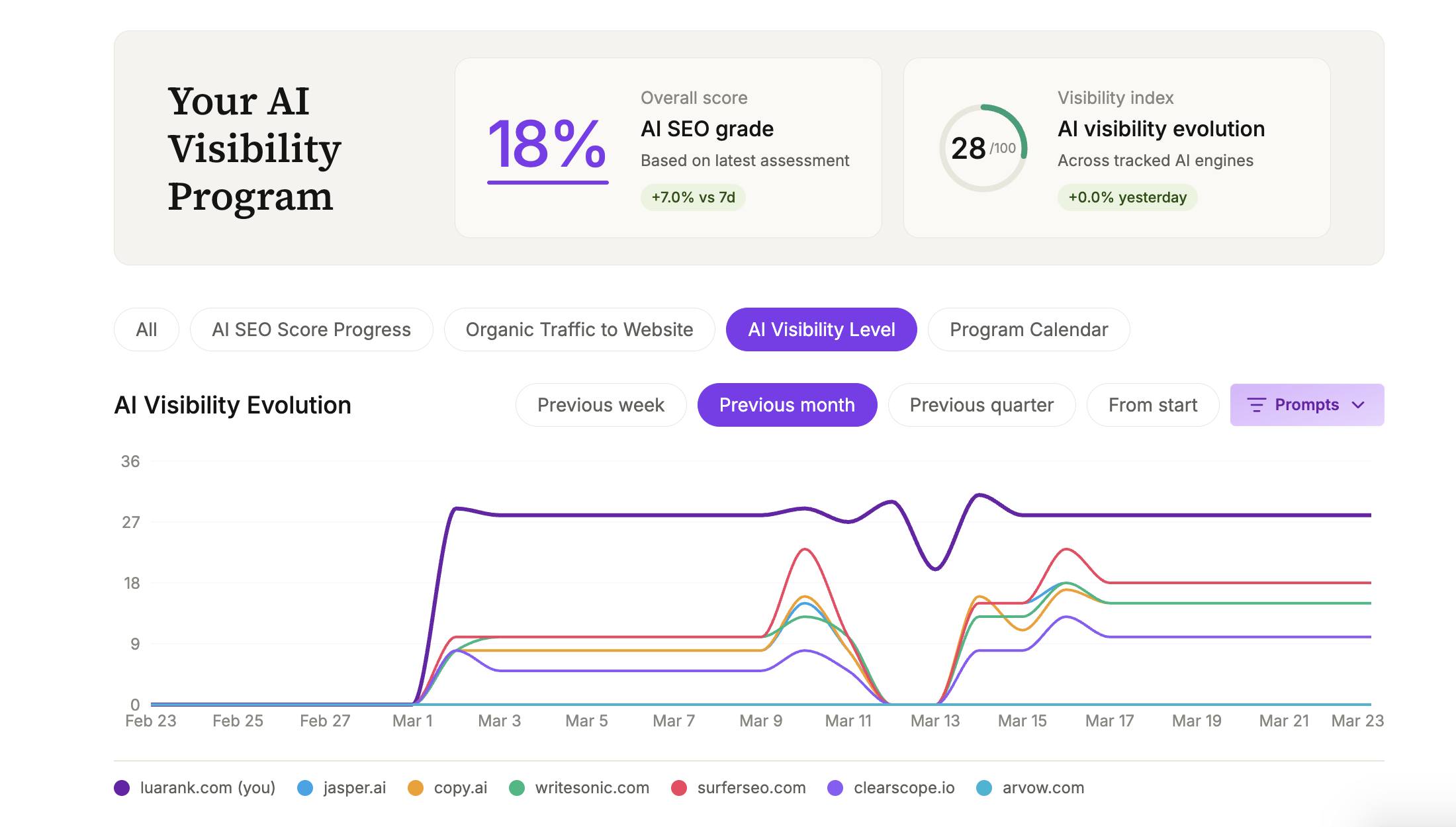
AI Visibility Full Program Dashboard: Your Agency Plan at a Glance
One stop shop to monitor performance of your AI visibility agency plan: track AI visibility metrics, AI SEO grade, and see real-time search results in one unified interface. Get complete AI search insights.
Guilherme Hortinha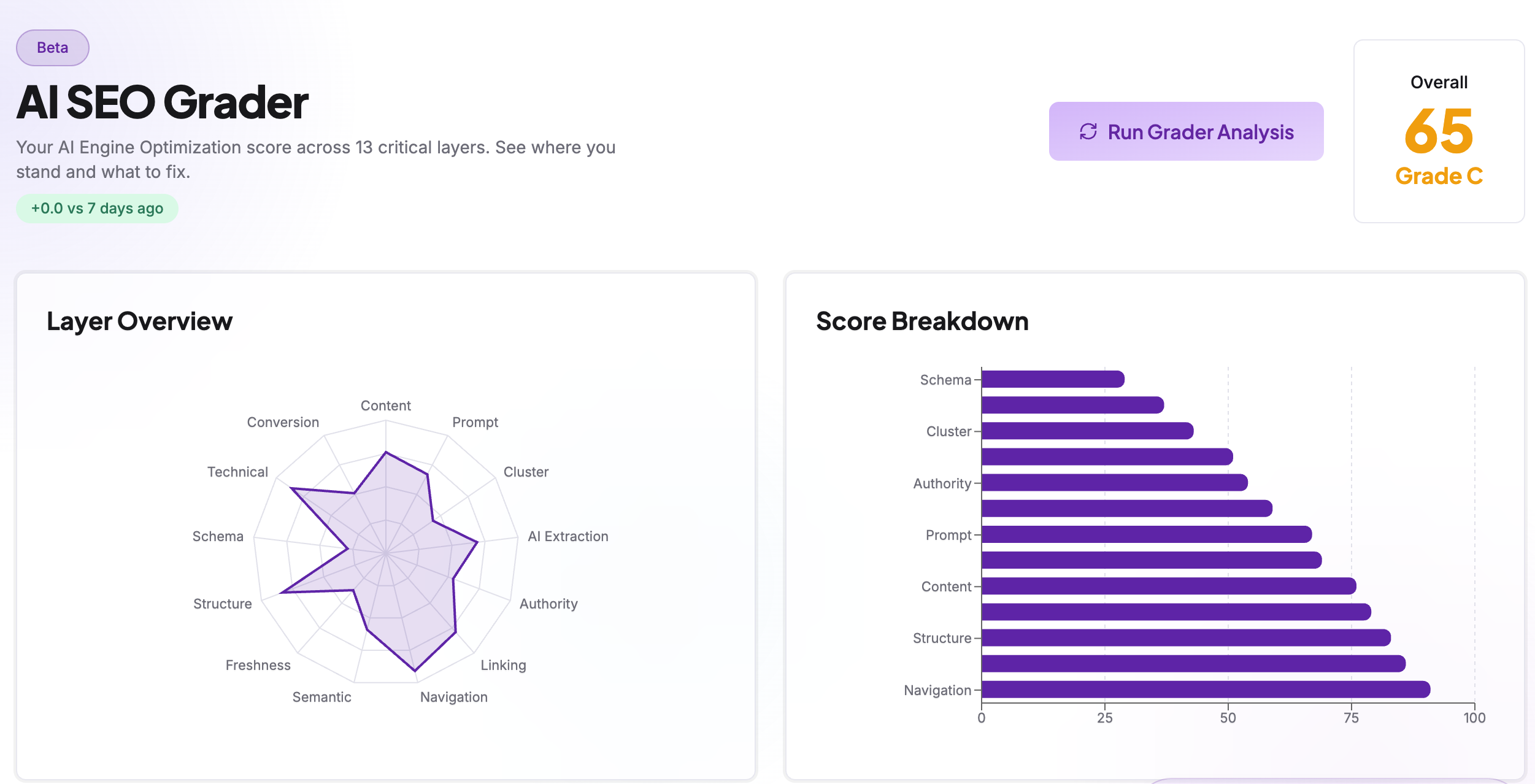
Is Your Website Built for AI Search? Get Your Score in Minutes
Test your website's AI search readiness with our AI SEO grader. Get your GEO score across 13 visibility factors in minutes and optimize for AI engines.
Guilherme Hortinha